About Pong
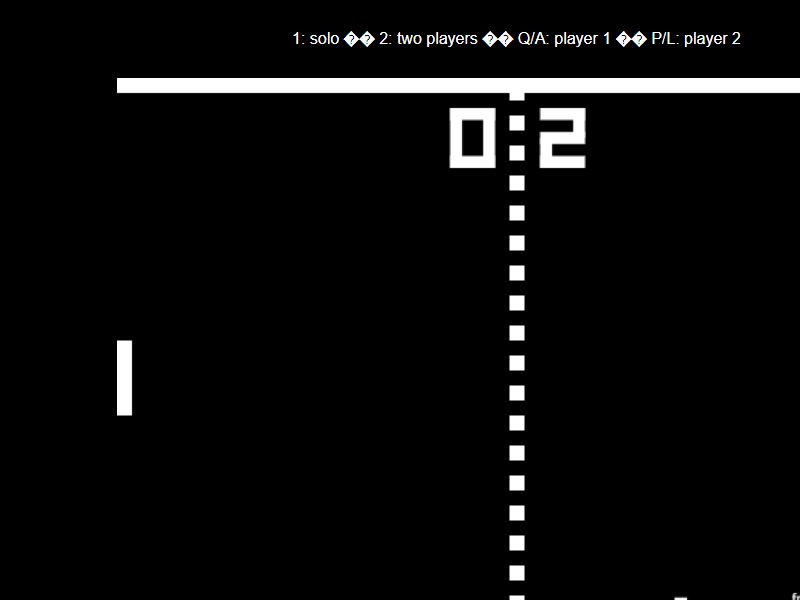
Pong is a two-paddle ball game where each player protects one side of the court. Return the ball with your paddle and try to send it past your opponent. Jake Gordon’s open-source version supports a single-player match, a two-player match on one keyboard, and a computer-versus-computer demonstration. The two-player mode is local: both players use the same device. It does not connect you to an online opponent.
Getting started
- Press 1 to play against the computer, or 2 for a local two-player match.
- Player 1 uses Q and A. Player 2 uses P and L.
- Keep the ball away from your own goal and return shots beyond the opposing paddle.
Tips for a better run
- After a return, move back toward the middle to cover more of the court.
- Follow the ball’s projected bounce off the top or bottom wall.
- Vary your point of contact with the ball to make the return harder to predict.
Common questions
Can two people play?
Yes. Press 2 and share a keyboard. Player 1 uses Q/A; player 2 uses P/L.
Can I play against someone online?
No. This version offers a computer opponent and local two-player play only.
Will it work on my school network?
Access depends on your network’s rules. “Unblocked” is a common search term for browser games, not a guarantee that a school or workplace will allow this page.