About Minesweeper
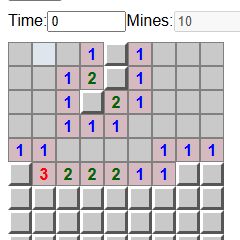
Minesweeper is a deduction game on a grid of hidden mines. Revealing a safe square shows how many mines touch it, including diagonal neighbors. Use those numbers to identify safe moves and mark likely mines with flags. The goal is to uncover all safe squares without opening a mine. Michael Butler’s browser version includes difficulty presets, custom board dimensions, a timer, and locally stored results. Flags are notes for your reasoning; placing one does not prove that a mine is there.
Getting started
- Choose a difficulty and start a board.
- Left-click a square to reveal it. Read the numbers around the revealed area.
- Right-click covered squares to mark suspected mines, and uncover the remaining safe squares.
Tips for a better run
- If a number has exactly that many covered neighbors, those neighbors must contain mines.
- If enough adjacent mines are already flagged, the other adjacent squares are safe—provided your flags are correct.
- Compare overlapping groups of numbered squares before making an uncertain move.
From a recorded play session
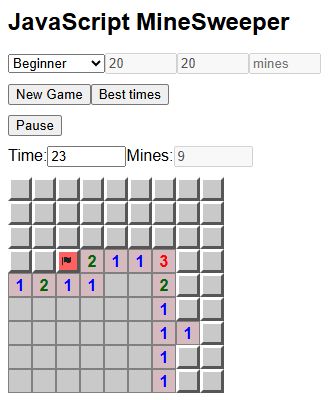
On a Beginner board, overlapping clues identified a mine in row 4, column 3 and a safe square in row 7, column 8.
Guides for Minesweeper
Common questions
What does a number count?
It counts mines in the eight surrounding positions, including diagonals, where those positions exist.
Does a flag make a square safe?
No. A flag is a marker you place. Incorrect flags can lead to incorrect deductions.
Will it work on my school network?
Access depends on your network’s rules. “Unblocked” is a common search term for browser games, not a guarantee that a school or workplace will allow this page.