Read the level before moving
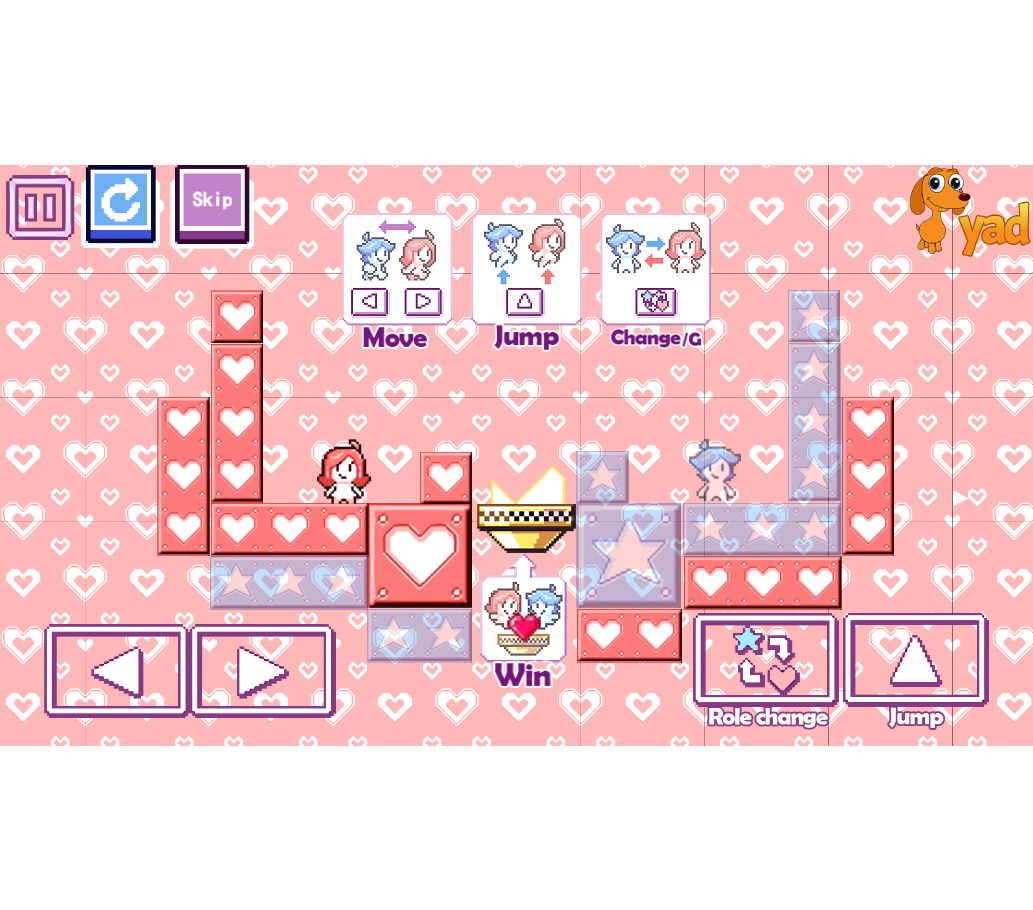
Start a level and locate both characters, the platforms and the goal. Trace a short route for each character separately. A platform that helps one character may not solve the other character’s route, so moving the closest character first is not always useful.
The hosted edition uses character switching. Follow the control labels in its player; the recorded test confirmed the on-screen jump button, but did not verify every keyboard shortcut.
Practice one jump at a time
- Choose a nearby safe landing rather than the final goal.
- Check the space above the character as well as the gap ahead.
- Make one jump and let the character land before committing to the next move.
- Recheck the other character’s position before switching.
In our opening-level test, pressing the on-screen jump control visibly lifted the red character. That verifies the jump input; it does not establish that the complete route in the level was solved.
When a route stops working
If the character cannot reach a ledge, check which character is active and whether the other one needs to move first. Repeating the same jump does not fix a route that depends on a different starting position.
When restarting, keep one useful observation from the failed attempt: which platform was reachable, where you landed, or which character needed to move earlier. Change one decision on the next attempt so the result is easier to understand.
A useful first-session goal
Practice entering the first level, making a controlled jump and switching characters using the player’s instructions. Then explain the next landing you want for each character before attempting the full route. This guide covers starting decisions, not a level-by-level solution.
A recorded play session: what happened
Iframe rendered the level menu. Direct hosted player entered level 1 after Start and a skippable ad. Clicking the on-screen jump button visibly lifted the red character. Keyboard movement and level completion were not verified.
This was a focused desktop input check of the external player. It was not a full walkthrough, a phone test or proof of reliable iframe loading on every network.
Try the next run
Use one idea from this guide in the Heart Star player. Its game page includes controls and edition/source details.